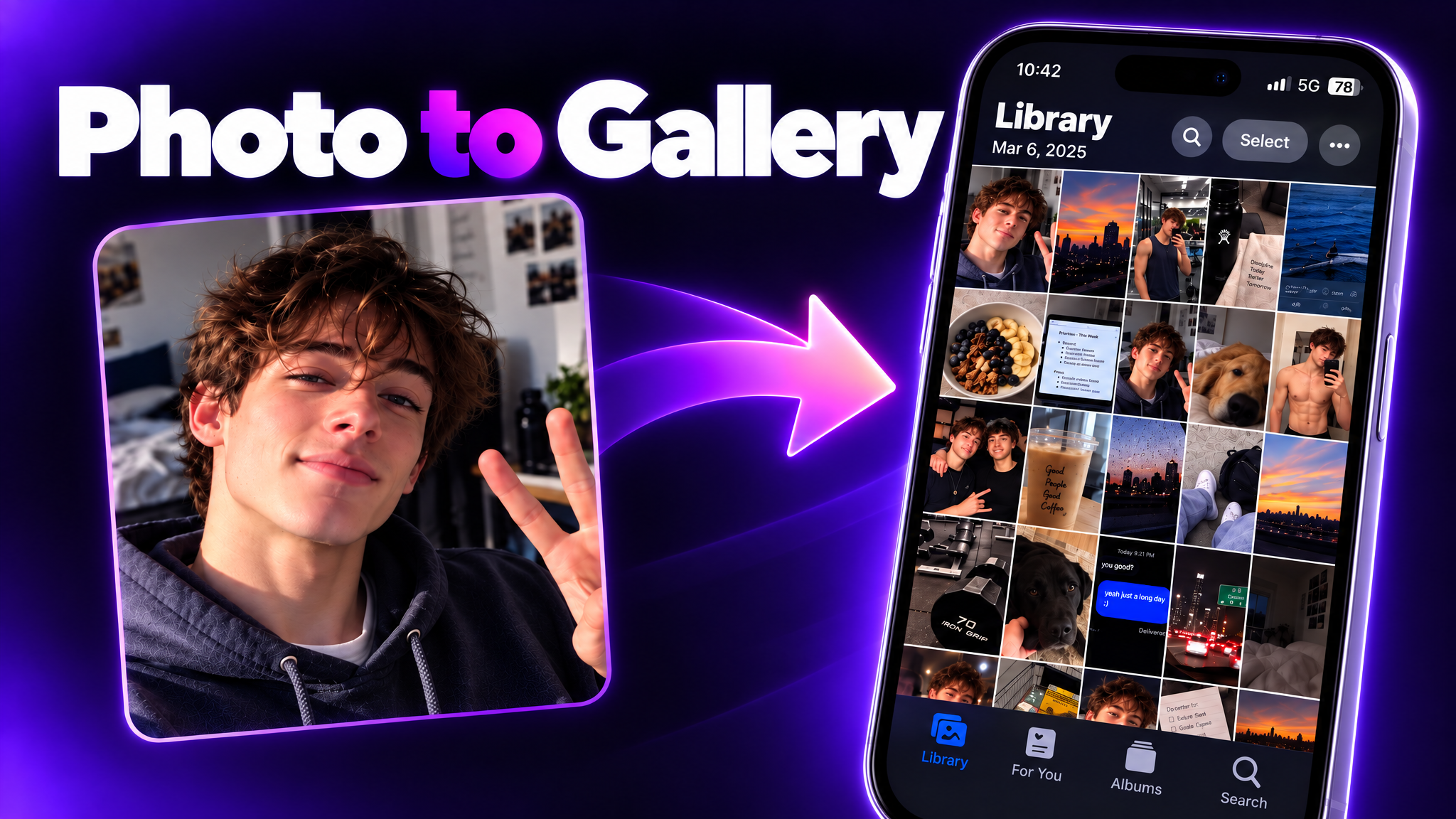
Camera Rolls
Turn one full day's worth of camera roll for the person in the reference image into a single image that captures the iPhone's Photos app screen as-is. Make it a realistic camera roll that feels like it captures casual everyday moments.
Recommended presets
Explore more PixVerse workflows for your next project.
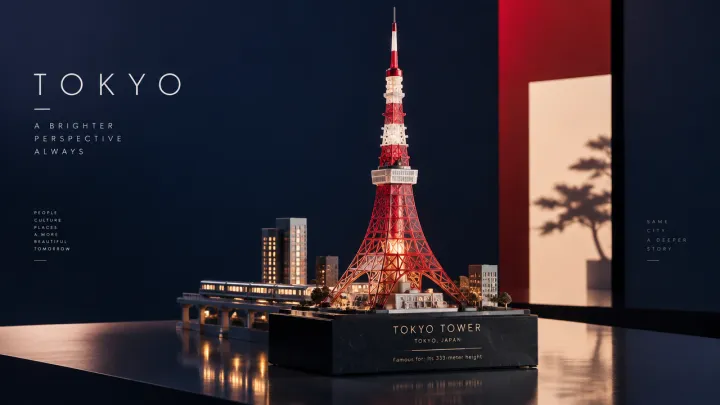
Collectible Landmarks
Create a contemporary collectible travel artwork featuring Tokyo Tower as the unmistakable focal point. Reimagine its recognizable red-and-white structure as a precise miniature sculpture made from translucent crimson resin, frosted acrylic, and fine brushed-metal details. Set the tower on a sleek display plinth. Add a few restrained hints of Tokyo—a tiny train line, two geometric rooftops, and a soft amber glow—while keeping the tower dominant. Use a deep indigo background with carefully placed crimson and warm-white color blocks. Compose the scene like an asymmetrical editorial travel cover, with generous negative space. Integrate a small engraved caption into the plinth: TOKYO TOWER TOKYO, JAPAN Famous for: Its 333-meter height Use crisp studio lighting, refined reflections, sculptural shadows, and polished miniature detail. The result should feel like a modern design-store collectible: playful in scale, sophisticated in finish, and distinctly Tokyo. No clay or paper-craft textures, wooden plaque, storybook styling, photorealistic people, or clutter.
GPT-Image2.5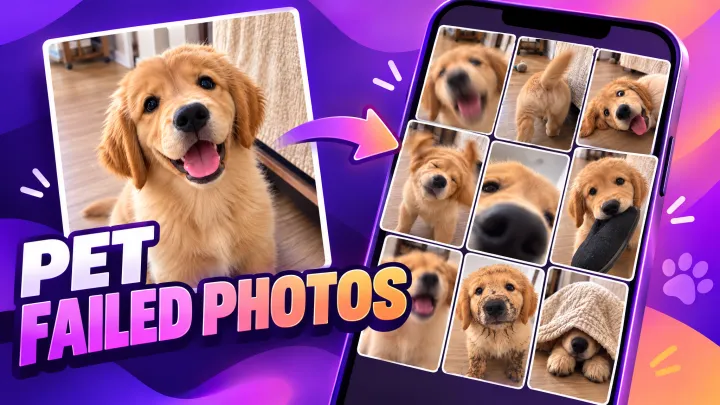
Photo Fails
A collection of amateur failure photos, 3x3, 9:16
GPT-Image2.5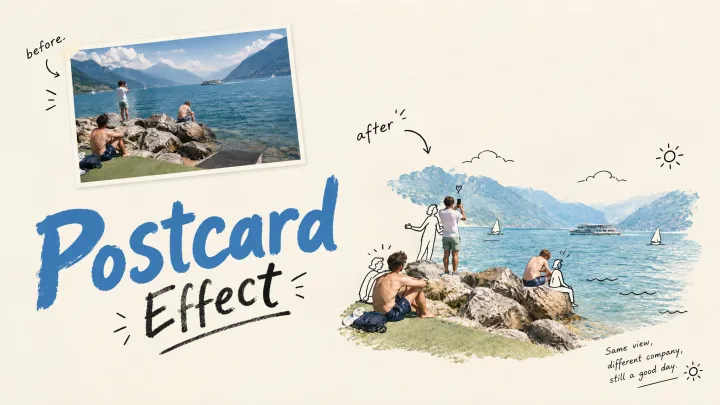
Post Card Effect
Reimagine my uploaded photo as a single 3:4 vertical image. Do not simply copy the original. First, identify what is most memorable about the photo — it could be a subject, an action, a relationship, a mood, or a subtle coincidence within the frame. Extract the most representative element and turn it into a playful little scene combining the real subject with minimalist black line-drawn figures. Keep the subject's real materials and colors. Draw the figures with thin black lines, and let them interact naturally with the scene — climbing, carrying, observing, pulling, repairing, and so on. Use an off-white or light background with generous negative space. Add a short handwritten English note, like a casual journal entry, with the date and location, e.g. "Sept 18, Lake Garda". It can include a few words that match the photo's mood, but do not name the objects directly. The overall feel should be light, restrained, and clever, like a small insert page in an indie magazine. Avoid a cartoon sticker look, and don't overcrowd the composition.
GPT-Image2.5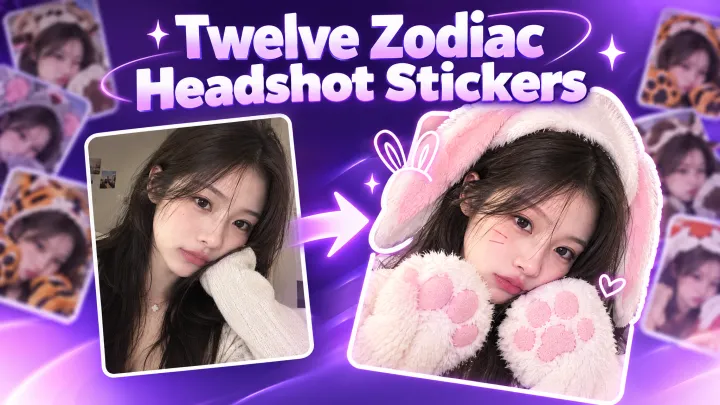
Chinese Zodiac Photo Booth Stickers
Create an image of the character in the attached reference wearing costumes of all twelve Chinese zodiac animals. Arrange the twelve versions in a 3×4 grid within a 9:16 vertical image.
GPT-Image2.5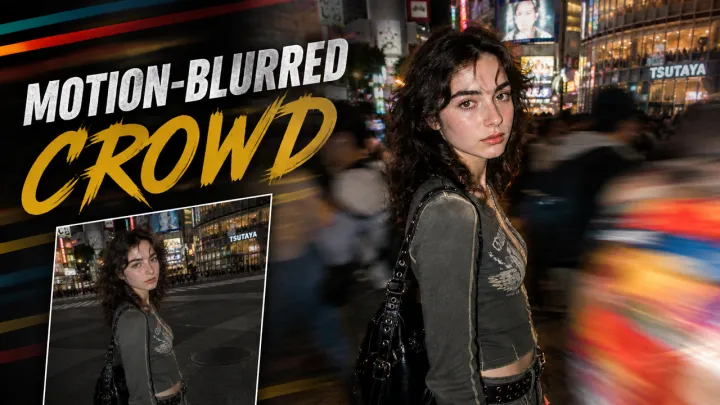
Motion-Blurred Crowd Effect
A candid nighttime street portrait of a slim, fair-skinned woman in his early 20s with tousled dark-brown wavy hair, thick brows, a lean face, a straight nose, and naturally textured skin with faint freckles. She wears Y2k outfit and stands within a dense moving crowd at Shibuya. Slightly left of center, her body is turned to the side as he looks directly into the lens with a calm, slightly tired expression. Shot from close range at eye level with a natural 35mm perspective. A direct on-camera flash keeps his face and outfit sharp, while a slow shutter blurs the people moving around him. Pedestrians pass close to the lens, creating colorful streaks across the right foreground. Busy illuminated streets in the background, subtle film grain, warm city lights, intimate candid street-fashion photography --chaos 5 --ar 3:4 --raw --stylize 250
GPT-Image2.5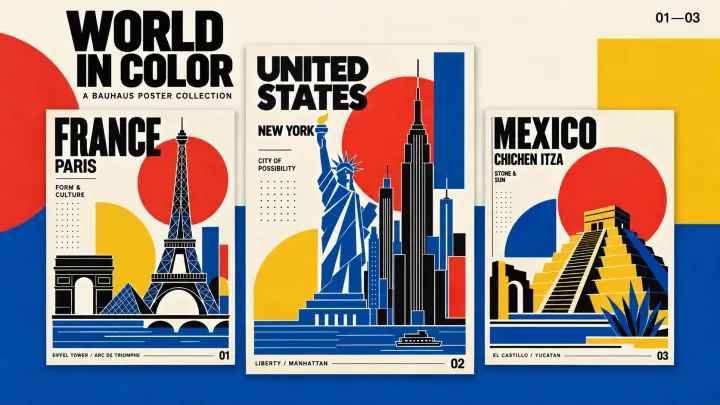
Bauhaus Vibe
Create a 3:4 Bauhaus travel poster featuring the Eiffel Tower, Arc de Triomphe and Louvre Pyramid. Use crisp geometric silhouettes, bold red circles, yellow semicircles, cobalt blue and black, with subtle grain on an opaque ivory background. Add oversized black sans-serif text “FRANCE”, smaller “PARIS” and “FORM & CULTURE”, with “01” at bottom right. English text only.
GPT-Image2.5