AI Video Ad Generator — Create Product Video Ads Faster with PixVerse
An AI Video Ad Generator should help your team turn product assets into testable creative before the campaign window closes. PixVerse lets marketers start with a product image, script, hook, or brand concept, then generate video ads with cinematic motion, realistic texture, multi-shot storytelling, and native audio for paid social channels.
Why PixVerse Is Built for Faster Video Ad Value
Performance creative is a speed problem as much as a design problem. Winning hooks fatigue, launches need multiple angles, and media buyers need fresh variations before results slow down.
Campaign pressure | PixVerse capability | Marketing value |
Need more hooks | Prompt-to-video, image-to-video, and Ad Maker-style workflows | Test more openings before creative fatigue wins |
Need product realism | Texture, lighting, camera movement, and physical motion | Make static product images feel premium and believable |
Need complete assets | Native audio, speech, sound effects, and lip sync | Reduce silent-clip cleanup and external audio sourcing |
Need team scale | Shared workflows, API paths, and reusable assets | Agencies and DTC teams can produce more variants consistently |
Campaign Fit Check
- Best for: ecommerce, DTC, agencies, media buyers, launch teams, and social marketers that need rapid creative testing.
- Best source assets: product photos, packaging shots, scripts, logo references, offer angles, and brand mood boards.
- Best first test: generate three hook variations from the same offer and review which one has the clearest first-second promise.
Generate a product ad variation
Explore PixVerse for API workflows
User Review: What a Marketer Notices First
Review angle | What the user notices | Why it matters for campaigns |
Asset leverage | Existing product images can become motion concepts | Teams can test before organizing another shoot |
Variation speed | New hooks, angles, and visual styles can be produced quickly | Media buyers get more inputs for learning |
Human control | Final review still covers claims, compliance, captions, and brand fit | The workflow supports responsible testing instead of blind automation |
What Feels Different
PixVerse does not promise CTR, ROAS, or automatic ad approval. The practical advantage is earlier creative momentum: a team can see more possible ad directions, choose the strongest, and invest human editing time where it matters most.
Workflow Showcase: From Product Image to Paid Social Creative
Step 1: Start With the Campaign Brief
Define the audience, offer, objection, product proof, platform, and desired emotion before generating visuals.
Step 2: Generate Contrasting Ad Angles
A skincare team might test a macro texture reveal, a morning-routine style clip, and a premium lab-inspired product scene. A SaaS team might test a problem-solution explainer, an app demo concept, and a launch visual.
Step 3: Choose, Polish, and Iterate
Pick the strongest hook, add captions or brand overlays if needed, then create more variants around the same winning structure.
Create your first AI video ad
See PixVerse V6 ad-ready video capabilities
How the AI Video Ad Generator Works to Scale Testing
Build a Creative Brief
Start by defining the audience, platform, product promise, objections, offer, tone, and visual style. A clear brief helps PixVerse create more relevant assets. The brief does not need to be long, but it should identify the campaign objective and the exact viewer problem.
Create Multiple Ad Variations
Generate several versions of the same idea with different hooks, camera motion, colors, product contexts, or calls to action. Creative testing works best when you isolate variables. PixVerse helps teams make those variants faster, which is especially useful for media buying, retargeting, and multivariate testing.
Adapt for Social Platforms
Paid social requires different placements and formats. Use vertical clips for TikTok, Instagram Reels, and YouTube Shorts; square or vertical formats for feed placements; and wider scenes where the campaign calls for it. PixVerse supports multiple creative directions, while final platform setup should follow each ad network’s current specifications.
Review, Export, and Iterate
Review the generated video for brand safety, claims, product accuracy, and platform compliance. Then use the best-performing direction to generate more variants. PixVerse speeds up production, but human review remains essential for responsible advertising.
AI Video Ad Generator Use Cases
Ecommerce Product Ads
Turn product photos into polished motion assets. PixVerse can help showcase texture, use case, lifestyle context, packaging, and product benefits in a more dynamic format than a static image.
DTC Creative Testing
DTC brands often need fresh ad concepts every week. PixVerse helps create product reveals, benefit-led scenes, UGC-inspired clips, and seasonal campaign assets without starting from a blank editing timeline.
Agency and Media Buyer Workflows
Agencies can use PixVerse to generate more options for clients, speed up ideation, and create visual examples before committing to larger shoots. Media buyers can test more hooks and angles, then scale the concepts that show promise.
App, SaaS, and Digital Product Ads
Software teams can generate visual explainers, app demo concepts, feature stories, and launch assets. PixVerse can support creative directions that feel more cinematic than a simple screen recording.
Real Estate, Education, and Local Services
Video ads are not only for ecommerce. Real estate agents, schools, restaurants, gyms, and service businesses can use PixVerse to create quick promotional videos, event announcements, and localized campaign assets.
Team Plan and Production Control
Performance teams often struggle with scattered assets, unused credits, and inconsistent handoffs. PixVerse Team Plan concepts are designed for small studios, agencies, and teams that need shared production control. A shared credit pool can reduce waste, role permissions can protect workflows, and asset synchronization can help editors or media buyers reuse the best materials.
This matters because ad production is rarely one person making one video. It is a loop between strategist, designer, media buyer, client, editor, and analyst. PixVerse helps compress the creative production part of that loop while leaving strategic review in human hands.
API and Advanced Video Advertising Workflows
Some teams need more than a manual app workflow. PixVerse offers API solutions, developer documentation, and a developer platform for technical users. This can support automated creative systems, product catalog workflows, internal ad tools, or custom generation interfaces.
For large teams, API workflows make it possible to connect product data, creative briefs, approval systems, and generated video outputs. The goal is not to remove marketers from the process; it is to remove repetitive manual production work so marketers can spend more time deciding what to test next.
AI Video Ads Across Industries
Beauty and Skincare
Show texture, glow, packaging, application, and routine context. PixVerse can create cinematic beauty scenes with close-up detail and soft lighting while marketers test different benefit angles.
Fashion and Apparel
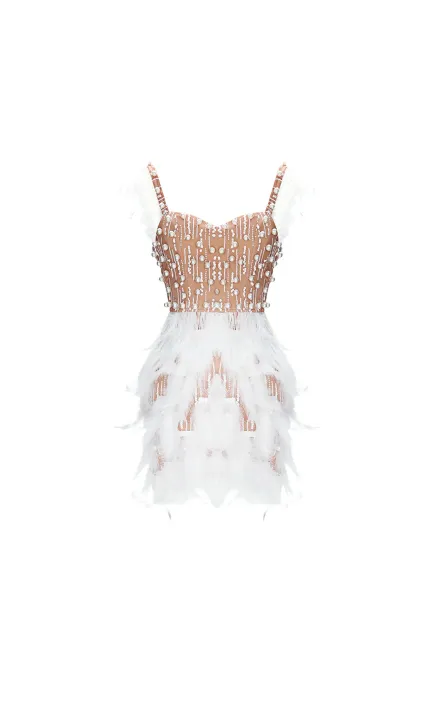
Fashion teams can create movement-led clips, fabric detail shots, seasonal campaign concepts, and lookbook-style product ads. Motion helps shoppers understand shape, texture, and mood more effectively than still images.
Consumer Electronics and Gadgets
Gadget ads often need feature demonstrations and visual clarity. PixVerse can create product reveals, use-case scenarios, and benefit-led scenes for short-form paid social.
Food, Restaurants, and Local Brands
Restaurants and local businesses can generate promotional clips for launches, seasonal offers, and social campaigns. Cinematic motion and native audio can make simple product visuals feel more engaging.
Education and Online Learning
Course creators and education teams can produce short promo videos, lesson teasers, and enrollment campaigns. PixVerse supports visual storytelling without requiring a studio setup.
Frequently Asked Questions
What is an AI Video Ad Generator?
An AI Video Ad Generator is a tool that uses artificial intelligence to create video advertisements from prompts, product images, brand assets, scripts, or campaign concepts. PixVerse supports fast 1080p generation, image-to-video workflows, native audio, and multi-shot storytelling for marketers.
Do I need design or video editing skills to use PixVerse?
No. PixVerse is designed to help non-editors create video concepts quickly. Experienced editors and agencies can still use it as a generation layer, then add final polish, captions, legal disclaimers, or platform-specific edits in their existing workflow.
Can I use my own product images, logo, fonts, and brand colors?
You can use your own images and brand assets as part of the creative workflow. For strict brand systems, review generated output before publishing and add final brand overlays or typography in your editing process if exact compliance is required.
Can PixVerse create video ads for TikTok, Instagram, YouTube, and Facebook?
Yes. PixVerse can support social-first creative for TikTok, Instagram Reels, YouTube Shorts, Facebook, and other placements. Final export and media buying setup should follow the current requirements of each platform.
Does AI-generated video advertising improve CTR or ROAS?
AI-generated video can help teams test more creative ideas faster, which may improve learning speed and campaign iteration. PixVerse does not guarantee CTR or ROAS outcomes; performance depends on offer, audience, media buying, creative strategy, landing page, and platform conditions.
Can agencies generate ads in bulk with PixVerse?
Agencies and technical teams can explore PixVerse API workflows for scalable generation. This is useful for product catalog videos, client creative testing, internal tools, and repeatable ad production systems.
How is PixVerse different from a traditional video production process?
Traditional production often requires scripting, casting, shooting, editing, audio, and revisions. PixVerse compresses the early creative production cycle by generating video concepts from prompts and assets, helping teams test ideas before committing to expensive shoots.
Start Using PixVerse as Your AI Video Ad Generator
If your team needs more creative variations, faster tests, and better use of existing product assets, PixVerse gives you a practical production engine. Use the AI Video Ad Generator workflow to turn images into motion, prompts into product stories, and campaign ideas into testable video ads.
Generate your first video ad
Explore PixVerse V6
Visit PixVerse
Ad Master
 Main Image