AI Fashion Video Generator for Turning Apparel Images Into Social-Ready Motion
AI Fashion Video Generator for Turning Apparel Images Into Social-Ready Motion
Static photos can show a garment. Motion can make it feel alive. The PixVerse ai fashion video generator helps fashion teams, ecommerce stores, agencies, and creators turn model and apparel images into energetic fashion videos with guided dance motion for social media, campaign testing, and product storytelling.
Start here when you want a faster way to create fashion videos without planning a new shoot for every drop, ad angle, or short-form trend.
Primary CTA: Create an AI fashion video
Benefits Snapshot
Secondary CTA: Turn apparel photos into motion
What Fashion Teams Need | How the AI Fashion Video Generator Helps | Best-Fit Workflow |
More motion content | Turns model and apparel inputs into fashion videos with guided movement | Product drops, social posts, seasonal campaigns |
Fewer repeat shoots | Uses clear model and apparel images as starting assets | Ecommerce teams with existing product photography |
Faster creative testing | Lets teams explore dance effects, formats, and video ideas quickly | TikTok, Instagram, paid ads, creator briefs |
Easier content production | Reduces reliance on advanced editing skills for early video concepts | Small brands, agencies, social media managers |
The ai fashion video generator is not meant to replace every high-end fashion shoot. It is built for the everyday content pressure that fashion teams face: new products, new hooks, new styles, new trends, and not enough time to film every idea from scratch.
Quick Fit Check
This AI fashion video tool is a strong fit if you already have product images, model images, or apparel shots and need more short-form video content around them. It is especially useful when your team wants to move faster than a traditional production schedule allows.
You Have | You Want | Why It Fits |
A clear model or character photo | A fashion video with movement | The workflow starts from a front-facing character image. |
Apparel product images | More dynamic product presentation | You can upload up to two apparel product images. |
A dance effect or motion idea | Social-ready fashion energy | Built-in dance effects make video creation more guided. |
A campaign or product drop | Multiple visual directions | The fashion video maker helps create variations faster. |
If your team uses PixVerse for AI video creation, Fashion Beat adds a focused fashion video generator workflow for apparel, motion, and short-form visual storytelling.
User Review Snapshot
User Type | Before the video generator for fashion | After Using the AI apparel video tool |
Ecommerce founder | Had product photos but not enough video content for every launch | Turns clear apparel images into fashion videos for testing and social use |
Fashion marketer | Needed campaign clips faster than a shoot schedule allowed | Creates motion concepts for product drops, ads, and creator briefs |
Social media manager | Had to keep up with new trends and short-form formats | Uses dance effects and guided inputs to create more fashion video ideas |
Agency creative | Needed early visuals before investing in full production | Builds AI fashion video concepts for client review and campaign planning |
The best results come from good input images and clear creative direction. The fashion motion generator gives you a faster path to motion, but your team still chooses the product, message, style, platform, and final creative quality.
Mid-page CTA: Generate a fashion video now
What Feels Different About a Fashion AI Generator
Generic video tools can create motion, but fashion content has specific needs. A garment needs to remain the hero. The model, apparel, movement, framing, and social rhythm all need to support the product. The PixVerse AI clothing video workflow gives fashion teams a more focused workflow because it starts with character and apparel inputs rather than asking for a vague all-purpose prompt.
This matters for fashion video creation. A dress, jacket, hoodie, sneaker, accessory, or full look needs movement that feels visually useful, not random. The workflow helps you begin with the assets that matter most: a model image, apparel product images, and a motion reference or dance effect.
Step 1: Upload a Clear Character Image
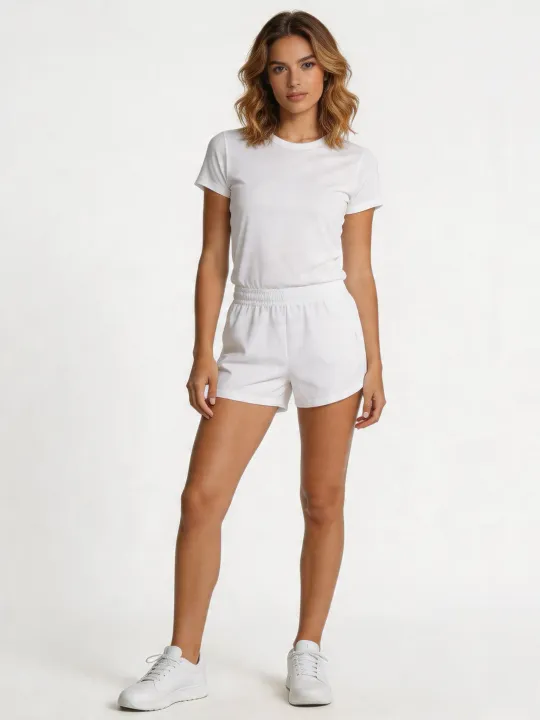
Start with a front-facing photo of a model or character. The Fashion Beat workflow works best when the image shows at least half of the body and distinct limbs. This gives the fashion video generator a cleaner foundation for model movement and apparel presentation.
Step 2: Add Apparel Product Images
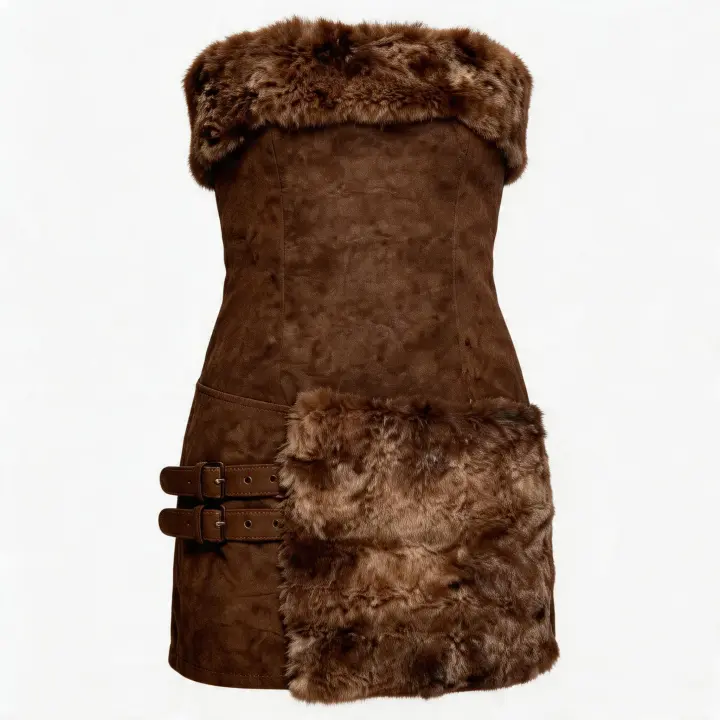
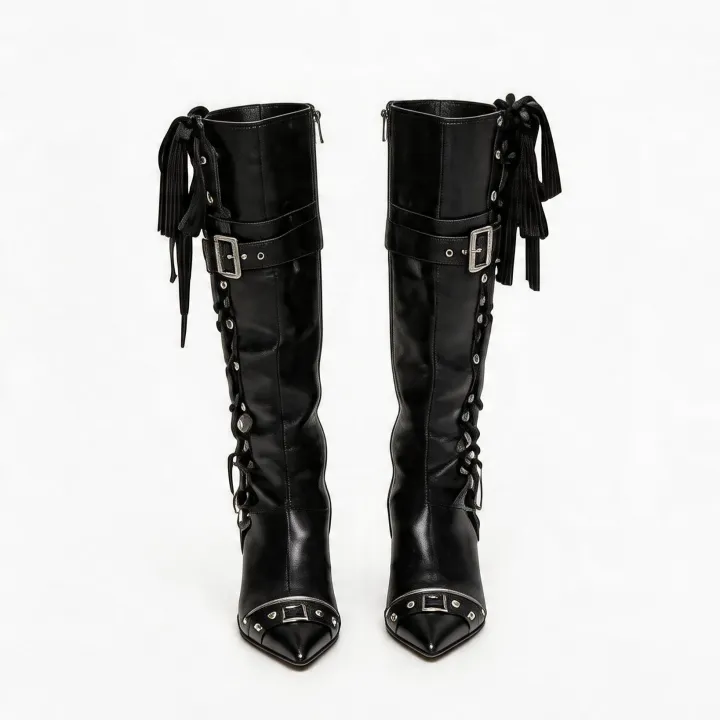
Upload clear images of your apparel products, with support for up to two pieces. Strong product images help the fashion video generator understand the garment, styling direction, and visual focus. This is especially useful for clothing brands that already have ecommerce photography.
Step 3: Choose Motion and Generate
Select a dance effect or upload a dance video under 30 seconds. Clear, full-character footage works best when uploading your own motion reference. Then generate and review the result, checking whether the fashion video supports your product, brand, and channel.
For seasonal launches, discount stories, and broader product campaigns, teams can pair Fashion Beat with PixVerse’s promo video maker to turn a fashion motion idea into a stronger promotional message.
How an AI Fashion Video Generator Works
An AI fashion video generator takes fashion-related inputs and turns them into video motion. In PixVerse Fashion Beat, the workflow begins with a character image, apparel product images, and a dance video or dance effect. This gives the generator image context, garment context, and motion context in one guided process.
The reason this matters is simple: fashion video is not just any video. A fashion video needs the clothing to remain visible, stylish, and connected to the person wearing it. It needs motion that makes sense for the garment. It needs enough energy for social media but enough clarity for product evaluation.
A strong AI fashion video generator helps marketers and creators move from product photo to video concept without building every motion sequence manually. It can support fashion videos for social media, ecommerce pages, paid campaigns, influencer briefs, product drops, and trend-led creative testing.
AI fashion video tool vs. Traditional Fashion Production
Traditional fashion video production can create beautiful results, but it often requires models, styling, location, lighting, videography, choreography, editing, revisions, and scheduling. That level of production is still valuable for major campaigns. The fashion video maker fits a different need: fast, flexible fashion motion for the many content moments between major shoots.
Workflow | Traditional Production | video generator for fashion |
Starting assets | Live shoot, model, location, crew | Character image, apparel images, dance effect or motion input |
Speed | Slower planning and scheduling | Faster concept and variation creation |
Best use | Hero campaigns and premium productions | Social clips, product drop ideas, ad tests, ecommerce motion |
Skill demand | Production and editing expertise | Clear inputs, creative direction, and quality review |
The AI apparel video tool is especially useful when the goal is not to replace a full shoot, but to create more fashion video ideas before, between, or after shoots. It can help a small team produce more visual options without waiting for a full production cycle.
AI Fashion Video Generator vs. Generic AI Video Generator
A generic AI video generator may create a stylish clip, but it may not be focused on apparel presentation. An AI clothing video workflow is more useful when the clothing, model, motion, and ecommerce use case matter. It gives the creative process a clearer fashion context.
Creative Need | Generic AI Video Generator | fashion video generator |
Product clarity | May not prioritize garment detail | Starts from apparel product images |
Motion style | Broad prompt-driven movement | Guided by dance effects or uploaded motion |
Ecommerce workflow | Requires more manual prompt planning | Better suited to product photos and campaign variations |
Fashion use cases | Possible but less focused | Built for fashion videos, apparel content, and social motion |
This is why fashion brands often need a video maker for fashion instead of a general tool. The fashion AI generator helps keep the garment central while giving the content more movement and platform-ready energy.
Fashion Video Creation for Ecommerce Teams
Ecommerce teams need more than beautiful still images. Product pages, paid ads, TikTok Shop content, Instagram Reels, launch emails, and landing pages all benefit from motion. The AI fashion video tool helps turn existing assets into fashion videos that can support those channels.
For a Shopify store, the workflow may begin with a model image and product photography from the latest drop. The team can test different motion styles, choose outputs that feel on-brand, and use the strongest clips to support product storytelling. For a social team, the workflow may focus on rhythm, dance, and trend compatibility. For an agency, it may support early creative directions before a client chooses a campaign route.
The best ecommerce use is variation. Use the fashion video maker to test garment movement, visual pacing, dance energy, product focus, and social hooks. Then keep the strongest clips for campaign development or manual refinement.
Fashion Video Creation for Social Media and Ads
Short-form fashion content needs movement. A static image can communicate color and shape, but a fashion video can suggest personality, fit, energy, and lifestyle. The video generator for fashion gives teams a way to move faster when they need more video ideas for TikTok, Instagram, Reels, Shorts, or paid social.
For ad teams, the goal is often rapid creative testing. One garment can be positioned as casual, premium, playful, bold, seasonal, or trend-led. With an AI apparel video tool, marketers can create motion-led variations around the same product and compare which angle deserves more production attention.
When the campaign goal is paid acquisition, PixVerse can also support creative testing through an AI video ad generator, especially when the team needs ad-specific concepts beyond fashion movement alone.
What Images Work Best for AI Fashion Videos
The quality of your input matters. The fashion motion generator works best when the character image is clear, front-facing, and shows enough of the body for visible movement. Distinct limbs matter because fashion motion depends on body shape, pose, and dance clarity. Avoid heavily cropped, blurry, or cluttered images when possible.
For apparel product images, use clear product photos that show the garment shape, color, and key design details. If the garment has a logo, pattern, fabric texture, or distinctive cut, choose the image that communicates those details most clearly. The goal is to give the fashion video generator a better chance to keep the product readable in motion.
A practical workflow is to test several input combinations. Try one clean model image with one garment, then try a second apparel image or different motion effect. Review which result best supports your brand and product page before using it in a campaign.
How to Use AI Fashion Videos Across the Customer Journey
An AI clothing video workflow can support more than social posting. Fashion videos can help at different stages of the customer journey when they are used with the right intent.
Awareness: Make the Product Stop the Scroll
Use motion, dance effects, and fashion pacing to turn a static item into a more attention-grabbing asset. At this stage, the fashion video generator is useful for testing different visual hooks and social formats.
Consideration: Show More Energy Around the Garment
On product pages, collection pages, or landing pages, fashion video can help shoppers understand the feel of a garment beyond still photography. The output should be reviewed carefully for product clarity, but motion can add useful context.
Conversion: Support Campaign and Offer Messaging
Fashion videos can help make promotional campaigns feel more dynamic. Pair a strong fashion clip with a clear offer, launch date, seasonal angle, or product benefit. The fashion AI generator gives teams more visual options to match those messages.
Retention: Keep the Brand Feeling Active
For repeat customers, new motion content can help make launches, restocks, collaborations, and styling ideas feel fresh. Use the AI fashion video tool to keep content calendars moving between major shoots.
Practical Tips for Better Fashion Video Results
Start with clean inputs. Use a character image that shows the body clearly and apparel images that focus on the product. Choose dance effects that match the garment and brand. A luxury coat may need different motion than a streetwear tee or festival outfit.
Keep the channel in mind. A 9:16 short-form clip needs different pacing than a product page video. If your team plans to use the output for social media, think about opening movement, visual focus, and whether the garment is recognizable within the first seconds.
Review details before publishing. The fashion video maker can speed up fashion video creation, but you should still check garment shape, logos, patterns, body movement, and brand fit. Treat every output as a creative draft that your team approves before it becomes campaign material.
Common Mistakes to Avoid
The first mistake is using weak input images. A blurry model photo or unclear apparel image can make it harder for the video generator for fashion to create a useful video. Clear source assets matter.
The second mistake is choosing motion only because it is trendy. Fashion video should serve the garment and brand. A dance effect may be popular, but it still needs to match the product’s style, audience, and campaign message.
The third mistake is expecting one output to solve every channel. Create several versions. Review them for TikTok, Instagram, ads, and product pages separately. The AI apparel video tool is strongest when used for iteration and creative selection.
Why PixVerse for AI Fashion Video Generation
PixVerse brings fashion video creation into a broader AI video ecosystem. The platform supports AI video generation, image-to-video workflows, templates, motion control, references, audio, and other creative tools. Fashion Beat focuses that broader capability into a mini-app for apparel, model input, and dance motion.
For fashion teams, this means the fashion motion generator is not an isolated trick. It sits within a creative platform where video generation, promotional content, ad creative, and other AI video workflows can support the same brand’s content pipeline.
That is useful for growing ecommerce teams. A brand might use Fashion Beat for apparel motion, a promo workflow for launch messaging, and ad-focused tools for performance creative. Together, these workflows help the team create more visual options without depending on one expensive production cycle for every content need.
FAQ
What is an AI fashion video generator?
An fashion video generator is a tool that helps turn fashion inputs such as model images, apparel product images, and motion references into video content. PixVerse Fashion Beat focuses on creating fashion videos from character images, apparel images, and dance effects.
Can I use regular product photos to create AI fashion videos?
Yes, you can use apparel product images as inputs, but clear photos work best. The fashion AI generator benefits from product images that show garment shape, color, and important details without heavy blur or clutter.
What images work best for AI fashion video generation?
Use a clear front-facing model or character image that shows at least half of the body with distinct limbs. For apparel, use clean product images that show the clothing clearly. Better source images usually give the AI fashion video tool a stronger foundation.
Do AI fashion videos preserve garment details like logos and patterns?
The fashion video maker can use apparel images as product input, but teams should always review the final output for garment details, logos, patterns, and brand accuracy before publishing. Motion generation should be treated as a creative workflow that still needs quality control.
Can I generate AI models for my clothing brand without a photoshoot?
You can create fashion video concepts from uploaded character and apparel images, which may reduce the need for repeated shoots for every social concept. However, if your campaign requires exact model representation, legal clearance, or premium production control, review the output carefully and follow your brand’s approval process.
How fast can I generate AI fashion videos for my online store?
Speed depends on settings, inputs, and generation load. The practical advantage of an video generator for fashion is that it can shorten the concept-to-motion stage compared with planning a new shoot for every product or campaign idea.
What types of fashion videos can I create with AI?
You can create short fashion videos for product drops, social posts, dance-led clips, launch teasers, campaign tests, ecommerce product storytelling, and creative concept exploration. The AI apparel video tool is especially useful for motion-led social content.
Do I need advanced video editing skills to use a fashion video generator?
No advanced editing background is required to start. You still need good creative judgment, clear inputs, and review standards, but the fashion motion generator is designed to make fashion video creation more accessible.
Are AI-generated fashion videos commercially safe to use?
Commercial use depends on your source assets, rights, brand policies, platform rules, and PixVerse terms. Before using any AI fashion video in paid campaigns or product pages, confirm that you have the necessary rights for images, models, products, music, and final content.
Can AI clothing videos meet TikTok Shop video requirements?
An AI clothing video workflow can help create TikTok-style fashion motion, but platform requirements can change. Review each output for format, product clarity, disclosure, rights, and current TikTok Shop or advertising guidelines before publishing.
Final CTA
If your apparel images are ready but your content calendar needs more motion, start with the PixVerse fashion video generator. Upload a clear model image, add your apparel product images, choose motion that fits the brand, and create fashion videos built for faster testing and stronger visual storytelling.
Create your next AI fashion video today.
Fashion Beat